
Info ICT Helpdesk is open today (Wednesday): 07.30 – - 16.00 WIB (Break 12.00 - 13.00 WIB) at Polines UPA ICT Services Office
Not Open Yet
Background UPA TIK Polines

Academic Support Unit for ICT Politeknik Negeri Semarang

Integrated system hub, information technology services, and unified technical support for the Polines academic community.

Quick Access Services

Core Services for the Academic Community

View All Service Catalog

Whatsapp Blast service

WhatsApp mass broadcast message delivery service to support the delivery of important information and announcements to the Semarang State Polytechnic academic community.

Website Services

Facilities for creating, managing, hosting and maintaining official website domains/subdomains for work units, departments, study programs and activities within the Semarang State Polytechnic environment.

Institutional Email Service

Institutional domain-based email account creation and management service (@polines.ac.id / @mhs.polines.ac.id) to support formal academic community communication.

E-Learning Services

Academic

A web-based online learning system platform that facilitates the distribution of lecture materials, collection of assignments, quizzes, and academic interaction between lecturers and students.

Academic & Management Information System Services

Online

Development, integration and maintenance of applications and integrated information systems to support academic governance, administration and campus operations.

Internet & Network Services

10 Gbps

Integrated network management throughout the Semarang State Polytechnic campus.

ICT Administration Services

Layanan 24/7

Technical correspondence services, requests for access to ICT infrastructure, technical assistance (helpdesk/support), and consultation on the use of information technology for academic units/community.

Organizational Governance

Divisions UPA TIK

Integrated technology center, information systems, and digital services hub of Politeknik Negeri Semarang.

01

ICT Services Management

Integrated user support, technical helpdesk, software licensing management, and computer laboratory operations.

View Division Details
02

Information Systems Management

Application architecture development, database integration, SIAKAD, SPADA, and Single Sign-On (SSO) services.

View Division Details
03

Computer Network Management

Wired & wireless network infrastructure (Eduroam WiFi), data center servers, cyber security, and campus internet connectivity.

View Division Details
Latest News

ICT News & Updates

Latest news regarding innovation, events, and information technology developments at Politeknik Negeri Semarang.

View All News
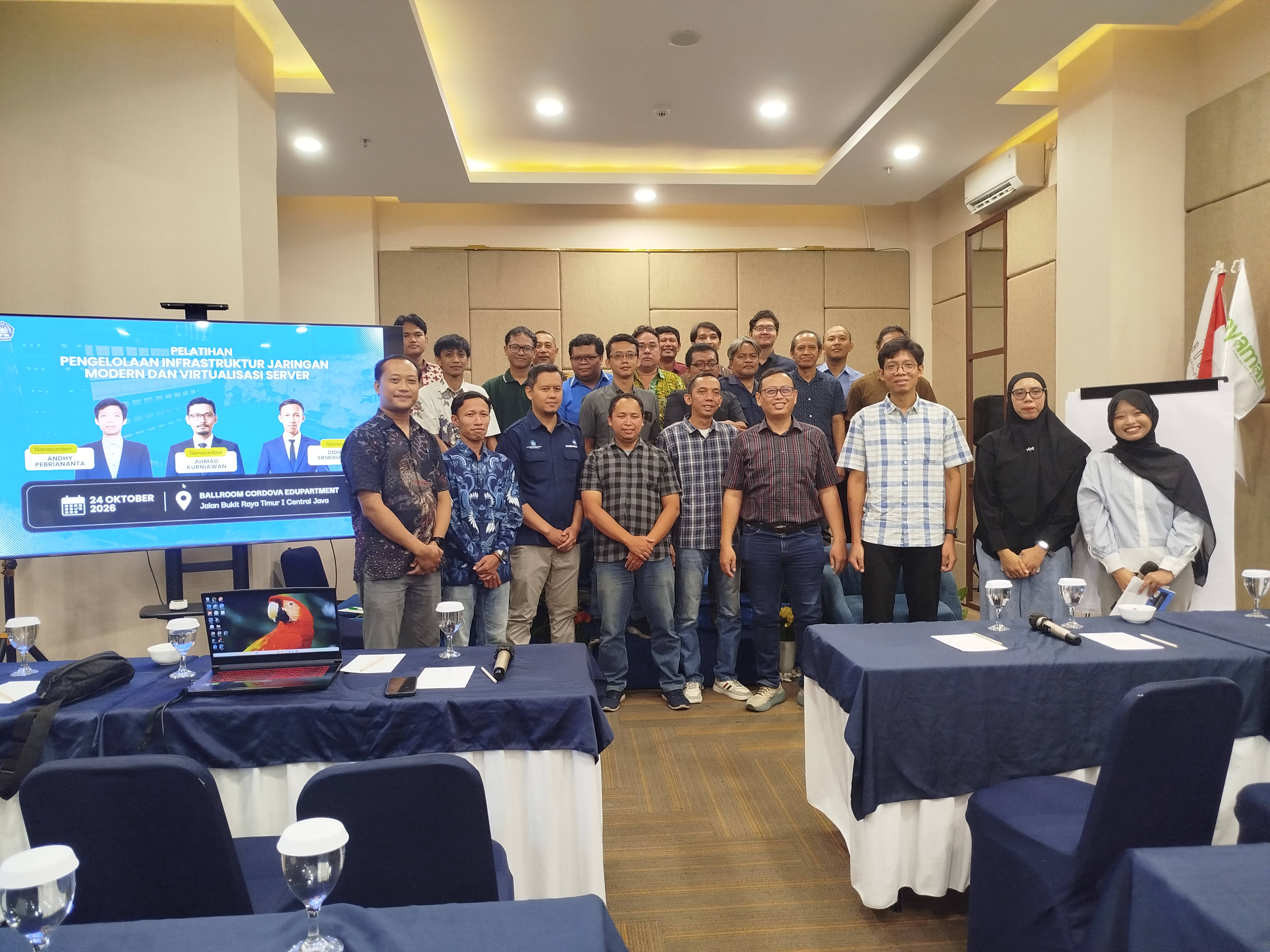
Improving the Reliability of Digital Services, UPA ICT Polines Holds Training on Network Infrastructure Management and Server Virtualization
Network Infrastructure / 24 October 2026

Improving the Reliability of Digital Services, UPA ICT Polines Holds Training on Network Infrastructure Management and Server Virtualization

(SEMARANG) – In order to strengthen technical capacity and maintain the reliability of the campus information service system, the Semarang State Polytechnic ICT Academic Implementation Unit (UPA) held Network Infrastructure Management and Server Virtualization Training on Saturday (24/10/2026). The activity which took place at Cordova Edupark was attended by the ICT Team and the UPA ICT Polines Network Support Team. This training presented three expert speakers in the field of IT infrastructure, namely Andhy Pebriananta, Ahmad Kurn
Help & Support Center

Experiencing Technical Issues or Need Help?

The UPA TIK Polines Helpdesk team is ready to assist you with accounts, network, systems, and hardware issues.

Frequently Asked Questions

Common Questions & Answers

How do I obtain and activate my Polines SSO account?

New students receive their SSO account automatically upon final registration. Lecturers and staff can contact the UPA TIK Helpdesk counter or submit a request via official unit email.

What should I do if I forgot my SSO password or Polines Email?

Use the "Forgot Password" feature on the SSO login page using your registered recovery email, or visit the UPA TIK Helpdesk in the Partnership Building 2nd floor with your student/staff ID.

How do I connect my device to the Polines Eduroam WiFi?

Select the "eduroam" SSID, enter your full Polines email (e.g., [email protected]) and your SSO password. Download configuration guides in the Download Guides menu.

What is the procedure to request software licenses or subdomain hosting?

Departments, study programs, or work units may submit an official written request to the Head of UPA TIK or fill out the service form on the Helpdesk portal.